United States
USD account
US account & routing number
FOR WORK THAT GOES GLOBAL
Receive USD, EUR or GBP instantly and withdraw to your local bank account.


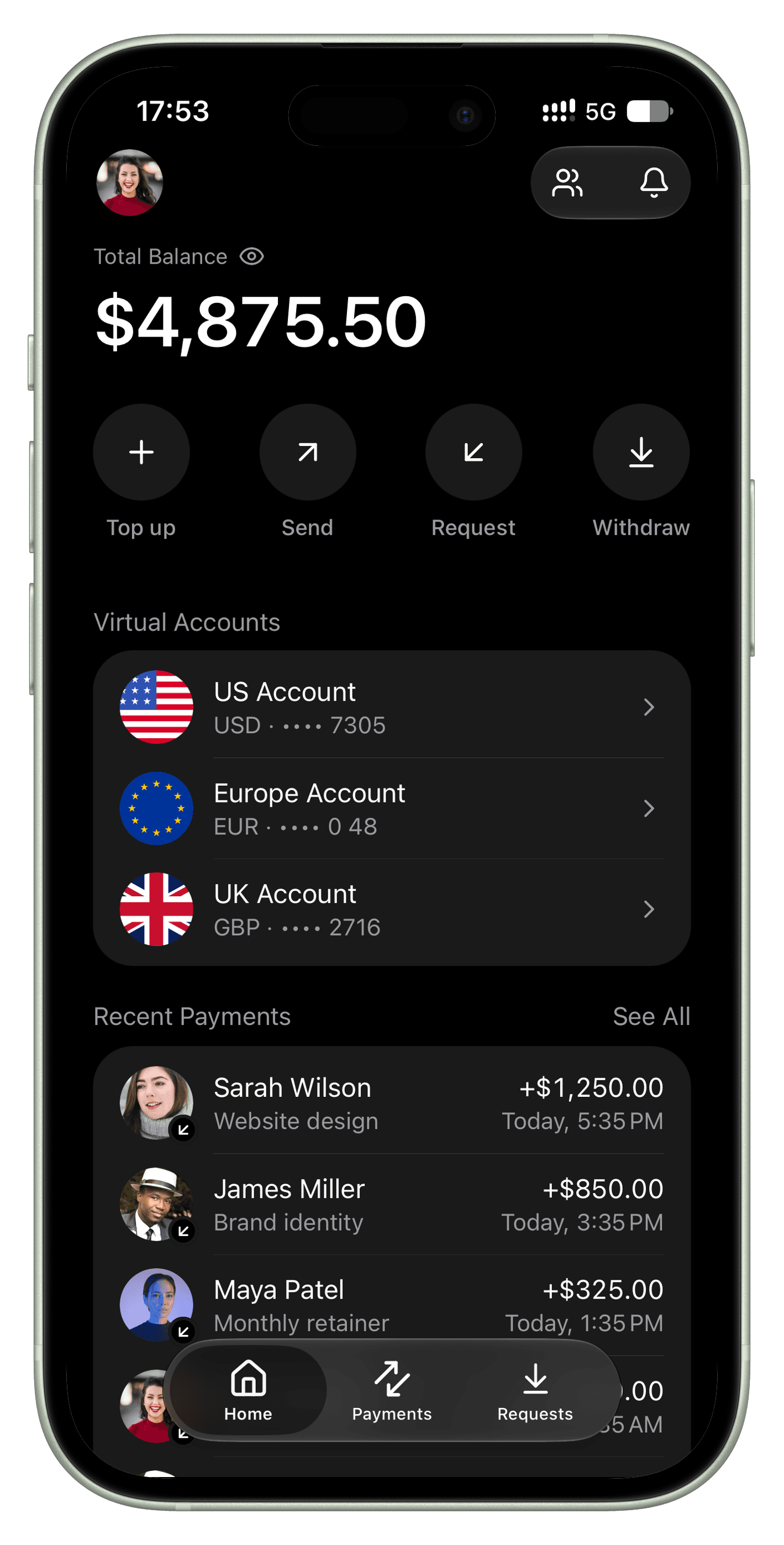
Give clients your account details.
They pay from their bank. You receive it in Hover.
United States
Europe
United Kingdom
Virtual accounts require verification. Availability and bank transfer times depend on your account and payment method.
A few steps in the app.
Then back to the work you love.
Download Hover, sign in and complete verification.
Choose your USD, EUR or GBP account and send the details to your client.
Receive your payment, then withdraw to your local bank where supported.
Create a payment request and share the link with your client. Keep your requests and payments together in Hover.
Get HoverPayment request
$850.00Project paymentMove money between Hover users for free.
See the transfer fee before you confirm.
Choose an available bank withdrawal option in the app.
Every payment needs confirmation on your device. Hover staff can’t move your money for you.
How Hover worksUse Google, Apple or a one-time email code.
Check the recipient and amount before you send.
Keep your device locked and your sign-in details private.
Accounts, payments and getting started.
Hover is a payments app for sending and receiving money across borders. It is operated by Hover Technologies LLC, a US company based in Montana.
No. You sign in with your Google or Apple account, or with a one-time code sent to your email, so there is nothing to create, remember, or reset.
Payments to another Hover user usually arrive in seconds, any time of day, including weekends and holidays. Adding money from or withdrawing to a bank account takes as long as the bank transfer itself, typically one to a few business days.
You can send to other Hover users where supported. Virtual accounts let you receive USD, EUR or GBP after verification. Bank withdrawal options depend on your country and account eligibility.
Only you can approve a payment: every transfer needs your confirmation on your own device, and no one at Hover can move your money for you. Hover is not a bank and balances are not FDIC-insured. Transfers can't be reversed once sent, so always check the recipient first.
Sending to another Hover user is free (0%). Adding money from a US bank costs 1% and withdrawing to a US bank costs 0.5%. You always see the exact fee before you confirm.
Yes. Hover is live - download it on the App Store for iPhone or on Google Play for Android.
Occasional product updates and new features. Unsubscribe anytime, one click.
Who runs Hover, fees and partners: About Hover
YOUR NEXT CLIENT COULD BE ANYWHERE
Get Hover for iPhone or Android.